What Is Schema Markup? (And Why Your Website Needs It)

You've probably noticed that some Google search results look... fancier than others.
A recipe shows up with star ratings and cooking time right in the results. A local business displays its hours and reviews before you even click. A product listing shows price and availability. Meanwhile, your page just sits there with a title and a grey URL.
That difference? It's usually schema markup.
The simple explanation
Schema markup is a small piece of code you add to your website that tells search engines what your content actually means — not just what words it contains.
Search engines are smart, but they're not mind readers. When Google crawls your page, it sees text. Schema gives that text context. It tells Google: "This text is a product name. This number is a price. These stars represent a review rating."
Once Google understands your content at that level, it can display it more richly in search results — what's called a rich snippet or rich result.
A concrete example
Say you run a local bakery. Your homepage probably says something like:
"Open Monday to Saturday, 8am–6pm. Call us at 0499 123 456."
To a human, that's clear. To a search engine crawling raw HTML, it's just... a string of characters.
With LocalBusiness schema markup, you formally label that information. You're telling Google: "This is our opening hours. This is our phone number. This is our address." Google can then show that structured info in search — sometimes without the user even clicking through to your site.
Why it matters for your SEO
Let's be clear about one thing: schema markup doesn't directly boost your rankings. Google has confirmed it's not a ranking factor in the traditional sense.
But here's why it still matters enormously:
1. Rich results stand out. A search result with star ratings, a featured image, or a price tag is visually bigger and more eye-catching than a plain blue link. Users click on what looks trustworthy and complete.
2. Higher click-through rates. Studies consistently show rich snippets outperform plain results on CTR — often by a significant margin. More clicks from the same position means more traffic without needing to climb rankings.
3. Google understands your site better. Structured data helps search engines build a more accurate picture of what you do, which can contribute to appearing in more relevant searches over time.
4. Voice search and AI-powered answers. Schema is increasingly how search engines pull quick answers into AI Overviews, voice assistants, and featured snippets. If your content isn't structured, it's less likely to get picked up.
What types of schema exist?
The schema.org vocabulary (maintained by Google, Microsoft, Yahoo, and Yandex) includes hundreds of types. The most commonly used ones for business websites are:
- Organization — your company name, logo, social profiles, contact info
- LocalBusiness — address, hours, phone number, geo coordinates
- Product — name, price, availability, reviews
- Article — blog posts, news articles, publication dates
- FAQ — question and answer pairs that can appear expanded in search
- BreadcrumbList — navigation path shown in search results
- Review / AggregateRating — star ratings for products, services, or businesses
Most websites need two or three of these at most. You don't need to implement all of them — just the ones relevant to your pages.
What does schema markup actually look like?
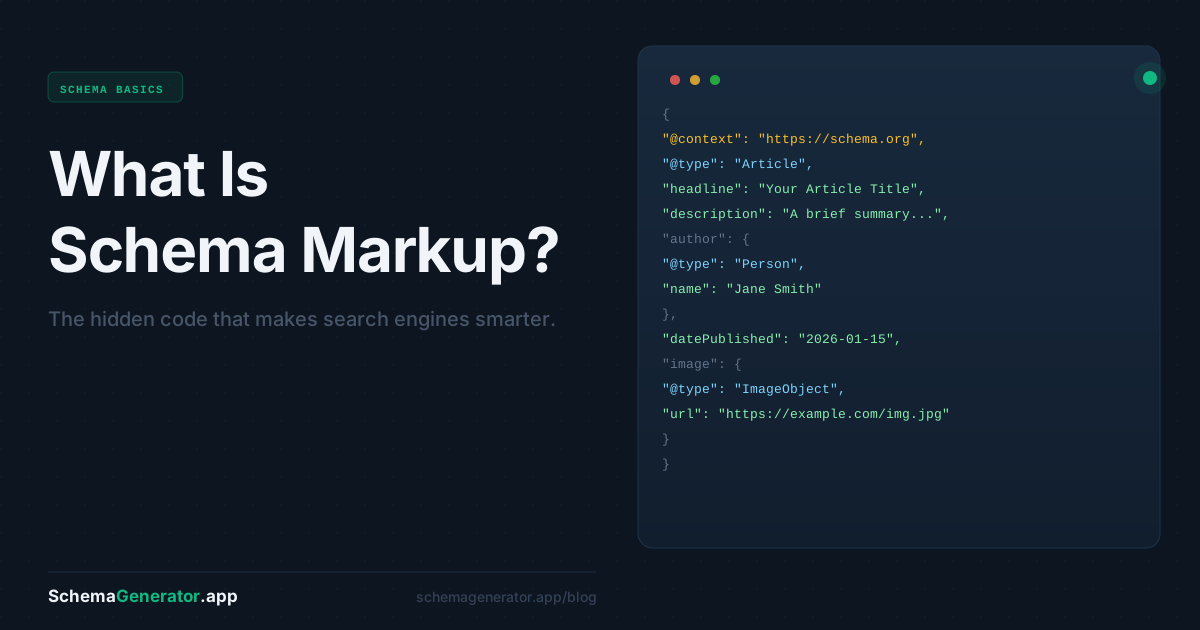
The most widely used format is JSON-LD (JavaScript Object Notation for Linked Data). It looks like this:
json
{
   "@context": "https://schema.org",
   "@type": "LocalBusiness",
   "name": "My Bakery",
   "telephone": "+32499123456",
   "openingHours": "Mo-Sa 08:00-18:00",
   "address": {
     "@type": "PostalAddress",
     "streetAddress": "Korenlei 12",
     "addressLocality": "Ghent",
     "addressCountry": "BE"
   }
 }
This code sits in the <head> of your page and is invisible to visitors — it's purely for search engines.
The good news: you don't need to write this by hand.
How to add schema markup without writing code
This is where most non-technical marketers get stuck. The schema.org documentation is dense, the syntax needs to be exact, and a single mistake can invalidate the whole thing.
The practical solution is to use a schema generator tool that does the heavy lifting for you.
SchemaGenerator.app works like this:
- You paste in a URL
- The AI analyzes your page and identifies the right schema type
- It generates valid JSON-LD output you can review and edit
- You copy it and paste it into your site's
<head>— or follow the platform-specific guide for WordPress, Shopify, Webflow, etc.
The whole process takes under two minutes. No coding knowledge required, and the output is validated against schema.org standards before you even see it.
Free to start — no credit card needed.
A quick checklist: do you need schema markup?
If you answer yes to any of these, you should have schema on your site:
- You want Google to display your business hours, address, or phone in search results
- You sell products and want price/availability shown in listings
- You publish blog posts or articles and want publication dates displayed
- You have an FAQ section you'd like to appear expanded in search
- You're running local SEO and want to compete for map pack visibility
- You simply want your search results to look more professional than competitors
The bottom line
Schema markup is one of those SEO fundamentals that most small and medium business websites still don't have — which means it's still a genuine opportunity.
It won't transform your rankings overnight. But it makes your search listings more useful, more clickable, and better understood by every search engine that crawls your site. For the time investment (especially with a generator tool), the ROI is hard to argue with.
Ready to add schema to your site? Generate your first schema free →