Best JSON-LD Generator Tools (Free) in 2026

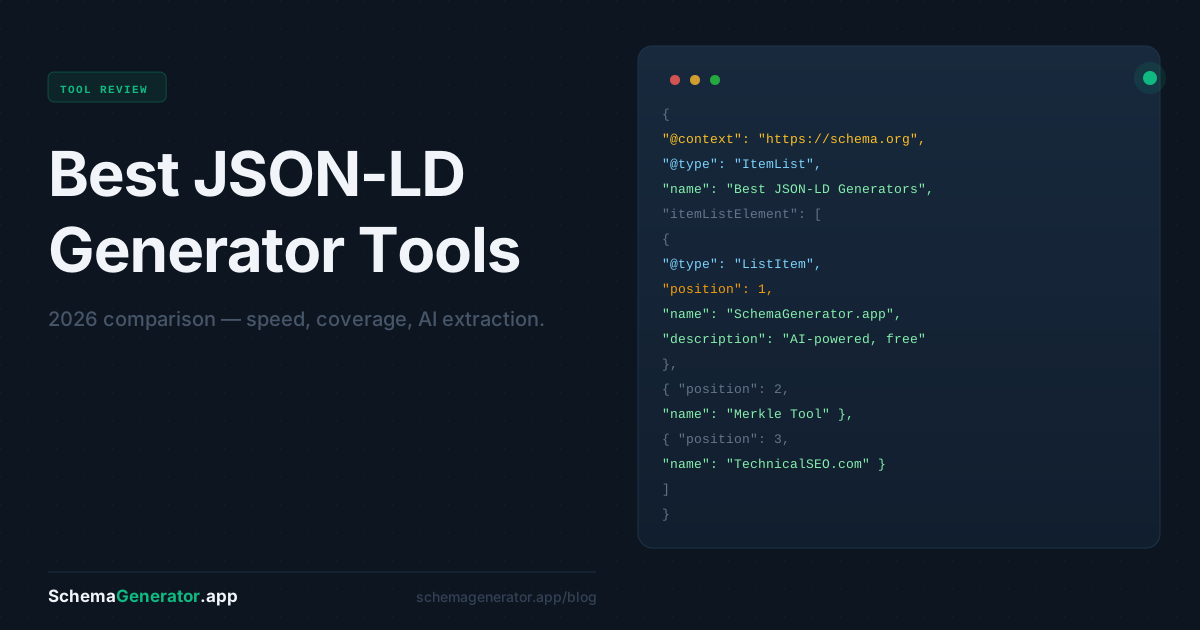
If you want your pages to qualify for rich results in Google — star ratings, FAQs, recipe cards, event listings — you need JSON-LD structured data in your <head>. The question isn't whether to add it. The question is which tool gets you there fastest.
Here's a no-fluff comparison of the best free JSON-LD generator tools available right now.
What Is a JSON-LD Generator?
JSON-LD (JavaScript Object Notation for Linked Data) is the format Google recommends for structured data. Instead of embedding attributes throughout your HTML, you drop a single <script type="application/ld+json"> block anywhere on the page. A JSON-LD generator builds that block for you — no manual coding required.
Good generators handle the schema spec so you don't have to. Bad ones make you fill in 30 fields by hand.
1. SchemaGenerator.app — Best for Speed and Schema Coverage
SchemaGenerator.app is the fastest way to get valid JSON-LD for any schema type. Paste in a URL and the AI extracts your content automatically — title, description, author, price, ratings — then generates the complete JSON-LD block ready to paste.
What sets it apart:
- AI auto-extraction — paste a URL and fields populate automatically. No copy-pasting from your own page.
- Dedicated generator for every schema type — FAQ, Product, Article, Local Business, Recipe, Event, HowTo, Review, and more. Each page is purpose-built for that schema type.
- Live JSON-LD preview — see the output update in real time as you edit.
- Free to use — no account required for the generator.
Best for: Anyone who wants the fastest path from "I need schema markup" to "it's on my page."
2. Merkle / TechnicalSEO.com Schema Markup Generator — Best Known Legacy Tool
The TechnicalSEO.com Schema Markup Generator (formerly the Merkle Schema Markup Generator) is the tool most SEOs learned on. It covers the core schema types — Organization, LocalBusiness, Product, Article, FAQ, BreadcrumbList — through a form-based interface.
Strengths:
- Widely trusted and referenced in the SEO community
- Covers the most common schema types
- No account needed
Limitations:
- Fully manual — every field requires hand entry
- No AI extraction, no URL input
- UI hasn't changed significantly in years
- Limited to one schema type per session; no nesting
Best for: SEOs who already know exactly what values to enter and want a quick sanity-check on the JSON-LD syntax.
3. Google's Structured Data Markup Helper — Best for Visual Tagging
Google's Structured Data Markup Helper takes a different approach: you paste a URL or HTML, then highlight elements on the page and tag them. Google generates the JSON-LD from your selections.
Strengths:
- Visual tagging means you can't accidentally misname a field
- Directly tied to Google's requirements
- Good for first-timers learning what structured data actually means
Limitations:
- Only supports a handful of schema types (Articles, Events, Local Businesses, Movies, Products, Restaurants, Software Applications, TV Episodes)
- Cumbersome for repeat use — you re-tag every page manually
- Tool hasn't been actively updated in several years
Best for: Learning how structured data maps to your page content for the first time.
4. iLoveSchema — Best for Organization and SoftwareApplication Schema
iLoveSchema is a clean, minimal generator focused on a smaller set of schema types. The interface is straightforward and the output is valid JSON-LD.
Strengths:
- Clean UI, quick to use
- Good coverage of Organization and SoftwareApplication schema
- No account needed
Limitations:
- Fewer schema types than the alternatives
- No auto-extraction — all manual input
- No live preview
Best for: Quick generation of Organization or SoftwareApplication schema when you know all the values.
5. Schema.org Validator (Bonus) — Not a Generator, But Essential
Worth mentioning alongside these tools: Google's Rich Results Test and the Schema.org Validator. These aren't generators — they're validation tools. After you generate your JSON-LD with any of the tools above, paste it here to confirm it's error-free before adding it to your page.
Side-by-Side Comparison
| Tool | AI Extraction | Schema Types | Live Preview | Free |
|---|---|---|---|---|
| SchemaGenerator.app | ✅ Yes | 13+ | ✅ Yes | ✅ Yes |
| TechnicalSEO.com | ❌ Manual | ~10 | ❌ No | ✅ Yes |
| Google Markup Helper | ❌ Visual tagging | ~8 | ❌ No | ✅ Yes |
| iLoveSchema | ❌ Manual | ~6 | ❌ No | ✅ Yes |
Which JSON-LD Generator Should You Use?
For most use cases in 2026, SchemaGenerator.app is the fastest option. The AI extraction alone eliminates the manual copy-paste loop that makes other tools tedious at scale. And with a dedicated landing page for each schema type, you always start in the right place — no navigating menus or selecting schema types from a dropdown.
If you're an SEO who already has the Merkle tool bookmarked and just needs a one-off snippet, TechnicalSEO.com still works fine. But if you're adding schema to multiple pages, or experimenting with types you haven't used before, SchemaGenerator.app is the faster path.
Frequently Asked Questions
What is JSON-LD used for?
JSON-LD is the format Google recommends for structured data (schema markup). It tells search engines what your content is — a product, a recipe, an FAQ — so they can display rich results in search.
Is SchemaGenerator.app free?
Yes. No credit card required. Anonymous users get 20 schemas/week; free accounts get 40/week.
What schema types does SchemaGenerator.app support?
FAQ, Product, Article, Local Business, Organization, Recipe, Event, HowTo, Review, and more.
Will the output pass Google's Rich Results Test?
Yes. The JSON-LD follows Google's structured data guidelines. You can validate any output at Google's Rich Results Test.
Ready to generate your JSON-LD? Try SchemaGenerator.app free — no account needed.