Local Business Schema Markup: The Complete Guide for Small Business Owners

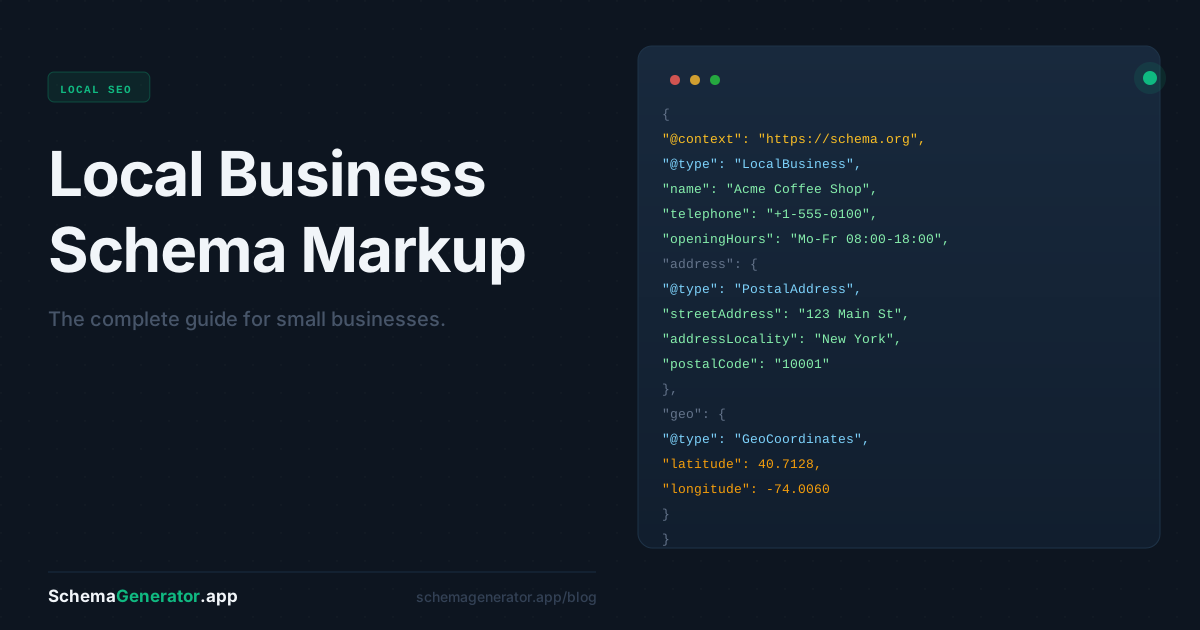
If you run a local business — a restaurant, a clinic, a salon, a plumber, a law firm — there's a specific type of schema markup built exactly for you. It's called LocalBusiness schema, and it's one of the highest-impact structured data improvements you can make to your website.
This guide covers what it is, what it does, what to include, and how to add it without needing a developer.
What is LocalBusiness schema?
LocalBusiness schema is a block of structured data code you add to your website that formally identifies your business to search engines. It tells Google your name, address, phone number, opening hours, price range, and more — in a format Google can read unambiguously.
Without it, Google has to guess this information by crawling your page text. Sometimes it gets it right. Often it doesn't — especially for hours, which change, or for businesses with multiple locations.
With LocalBusiness schema in place, Google has an authoritative source. And it uses that source to build your search presence.
What does it actually look like in search?
This is where it gets tangible. With valid LocalBusiness schema on your site, Google can display:
- Your business name, address, and phone number directly in the search result
- Your opening hours — including "Open now" or "Closes at 6pm" in real time
- A star rating and review count if you have reviews
- Your price range (€, €€, €€€)
- A direct link to get directions
That's your entire business card, shown before the user even clicks. For mobile searches — which now account for the majority of local searches — this is often all someone needs to call you or find you.
The local SEO connection
Local SEO is about appearing in two places: the regular organic results and the local pack — that map with three business listings that appears at the top of local searches.
LocalBusiness schema supports both. It reinforces the NAP consistency (Name, Address, Phone) that local SEO depends on, and it gives Google structured signals about your business category, service area, and operating details.
It won't guarantee you a spot in the local pack — that depends on many factors including your Google Business Profile, reviews, and proximity. But it removes ambiguity, and in local SEO, ambiguity is the enemy.
What to include in your LocalBusiness schema
Here are the key fields and why each matters:
@type — The specific business type. Don't just use LocalBusiness if you can be more specific. Schema.org has subtypes like Restaurant, MedicalClinic, LegalService, HairSalon, Plumber, and hundreds more. The more specific, the better.
name — Your exact business name as it appears on your Google Business Profile and other directories. Consistency matters.
url — Your website's homepage URL.
telephone — Your primary contact number, in international format.
address — Full postal address including street, city, postal code, and country code. Uses the PostalAddress sub-type.
openingHoursSpecification — Your hours per day of the week. More precise than the older openingHours field, and handles split shifts or seasonal hours.
geo — Latitude and longitude coordinates. Helps Google place you precisely on the map.
priceRange — A simple indicator like €, €€, or €€€. Optional but useful for restaurants and hospitality businesses.
aggregateRating — If you display reviews on your site, you can mark them up here. Shows star ratings in search results.
sameAs — Links to your Google Business Profile, Facebook page, LinkedIn, and other directory listings. Helps Google connect the dots across the web.
A real example
Here's what LocalBusiness schema looks like for a fictional Brussels-based physiotherapy clinic:
{
  "@context": "https://schema.org",
  "@type": "MedicalClinic",
  "name": "Brussels Physio Centre",
  "url": "https://brusselsphysio.be",
  "telephone": "+32 2 123 45 67",
  "address": {
   "@type": "PostalAddress",
   "streetAddress": "Rue de la Loi 42",
   "addressLocality": "Brussels",
   "postalCode": "1000",
   "addressCountry": "BE"
  },
  "openingHoursSpecification": [
    {
      "@type": "OpeningHoursSpecification",
      "dayOfWeek": ["Monday","Tuesday","Wednesday","Thursday","Friday"],
      "opens": "08:00",
      "closes": "19:00"
     },
     {
       "@type": "OpeningHoursSpecification",
       "dayOfWeek": "Saturday",
       "opens": "09:00",
       "closes": "13:00"
     }   ],
   "geo": {
     "@type": "GeoCoordinates",
     "latitude": 50.8503,
     "longitude": 4.3517   },
   "priceRange": "€€",
   "sameAs": [
     "https://g.co/kgs/example",
     "https://www.facebook.com/brusselsphysio"
   ]
 }
Writing this by hand is doable — but tedious, and a single formatting error breaks the whole thing.
The faster way: generate it automatically
SchemaGenerator.app handles all of this for you:
- Paste your business website URL
- The AI reads your page and extracts your business name, address, hours, phone, and more
- It identifies the most specific
@typefor your business category - You review the output, adjust anything that needs tweaking, and copy the JSON-LD
- Paste it into your site's
<head>— or follow the platform guide for WordPress, Shopify, or Webflow
The extraction is 90%+ accurate for most business websites. For the fields it can't pull automatically — like geo coordinates or sameAs links — you fill them in manually before copying.
Free to start. No credit card required.
Common mistakes to avoid
Using a generic @type when a specific one exists. LocalBusiness works, but Dentist or AutoRepair gives Google more signal. Check schema.org for your specific category.
Inconsistent NAP. If your schema says "Rue de la Loi 42" but your Google Business Profile says "Rue de la loi, 42" — that inconsistency weakens both. Keep everything identical across all platforms.
Outdated opening hours. If your hours change seasonally or for holidays and you don't update the schema, Google may display wrong information. Treat your schema like any other business listing — keep it current.
Not verifying with Google's Rich Results Test. Always run your URL through Google's free Rich Results Test after adding schema. It confirms the markup is valid and shows you exactly what rich results you're eligible for.
The bottom line
LocalBusiness schema is the single highest-ROI structured data investment for any business with a physical location or local service area. It takes under five minutes to implement with the right tool, and the payoff — a richer, more informative search presence — is permanent.
If you haven't added it yet, today's a good day.